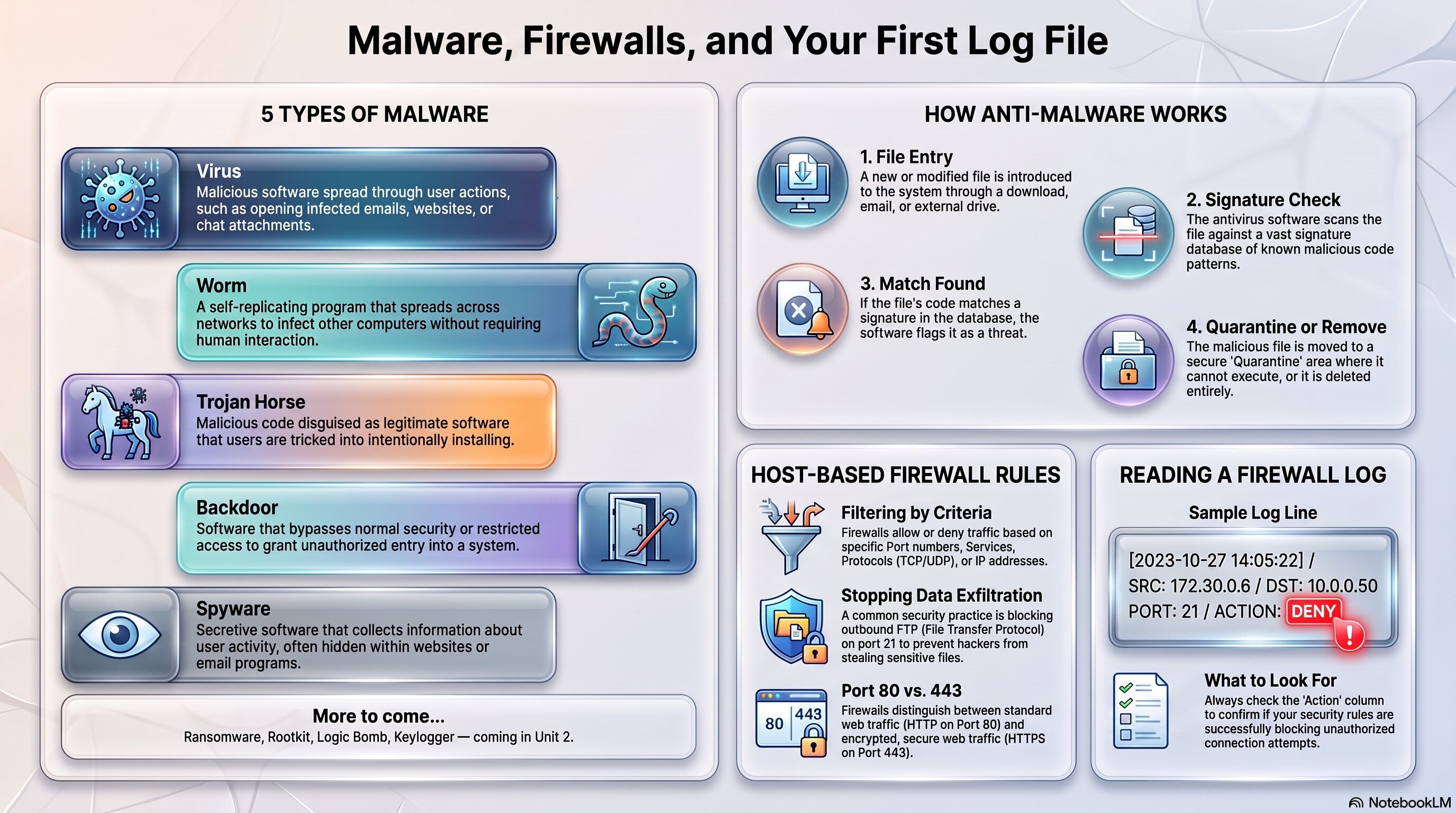
Use this as a quick reference for the five malware types, anti-malware detection, host-based firewall rules, and reading a firewall log.
🧭 Plot Summary
Every device connected to the internet is a target — and this activity is where you start defending one directly. You'll meet malware, software specifically built to damage a device, steal data, or hand an adversary remote access. There's a long list of malware types out there, but this lab keeps you to five:
Virus
Needs a user to open or run it to activate
Worm
Spreads on its own, no human interaction needed
Trojan Horse
Malware hidden inside something that looks harmless
Backdoor
A hidden way to bypass normal login and get back in
Spyware
Tracks what you do and reports it back to an adversary
From there, you'll look at the two main defenses against malware — anti-malware software and keeping systems patched — and then configure your first host-based firewall, deciding exactly which traffic a device should allow or deny. You'll close by reading a firewall log for the first time in this course.
What you will do in this lesson
Explore common network devices and internet services — and how suspicious websites exploit them with adware and pop-ups.
Learn the five malware types covered in this lab: virus, worm, trojan horse, backdoor, and spyware.
Understand how anti-malware software and OS updates protect a device.
Configure a host-based firewall on the PLTW virtual server — allowing and denying specific services.
Read your first firewall log and see what allowed vs. denied traffic actually looks like.
Why it matters
This is your first real hands-on device defense — and the first time you'll read a system log. Both skills come back constantly for the rest of the course.
✅ Self-Check Before You Roll On
Check off each item as you get there. These are not grades — they are your own signal.