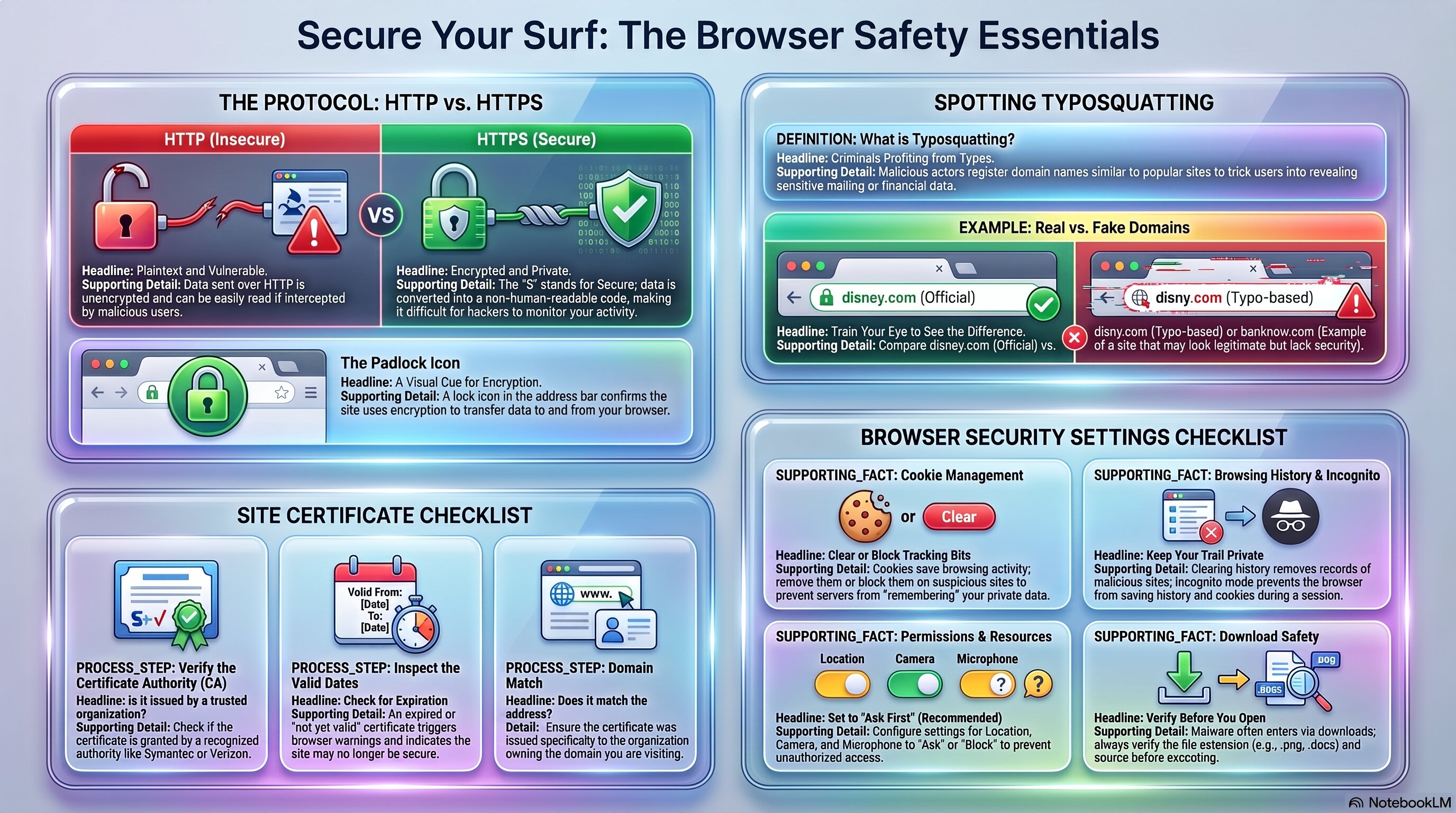
HTTP vs. HTTPS, reading certificates, typosquatting, and browser settings · Approx. 1–2 class days
StarringHTTP = Plaintext. HTTPS = Encrypted.
Use this as a quick reference for HTTP vs. HTTPS, reading a site certificate, spotting typosquatting, and browser security settings.
🧭 Plot Summary
Every website you visit is a conversation between your browser and a server — and that conversation can either be readable by anyone intercepting it, or completely scrambled. That's the entire difference between HTTP and HTTPS:
HTTP
Plaintext — readable if intercepted
HTTPS
Encrypted — unreadable if intercepted
You'll also learn to actually inspect a site's security certificate, spot typosquatting — URLs deliberately misspelled to imitate a real site — and configure real browser security settings for cookies, history, and downloads.
What you will do in this lesson
Compare HTTP and HTTPS traffic and see why the difference actually matters.
Inspect a real website's security certificate.
Learn to spot typosquatting — URLs built to trick you into thinking you're somewhere you're not.
Configure Chrome's browser security settings: cookies, history, and downloads.
Practice safe browsing habits you'll use for the rest of this course.
Why it matters
This is the same "unencrypted = readable" idea from file management in 1.2.2 — just applied to the traffic between you and every website you visit. Recognizing HTTP, certificates, and typosquatting is one of the highest-value habits you can build for everyday browsing.
✅ Self-Check Before You Roll On
Check off each item as you get there. These are not grades — they are your own signal.